
Job Posting: Where and How to Post Job Listings - ApplicantStack
The article from ApplicantStack explains the distinction between job descriptions and job postings, emphasizes the importance of effectively marketing job listings to attract applicants, and discusses the use of job boards—specialized or broad websites where employers post vacancies—to streamline the hiring process and reach suitable candidates efficiently.
Job Posting: Where and How to Post Job Listings
May 28, 2019
Recruiting Best Practices, Recruiting Software


After you’ve written your job description, it’s time for job posting. Posting jobs manually can be a long, tedious process. But there are lots of tips and shortcuts to save you time, and to help you find the best places to advertise your position.
The Difference Between a Job Posting and a Job Description
Though these terms are often used interchangeably, they are not the same thing. A job description is used by the employer internally. Its purpose is to describe the job role in detail, not only for the hiring team and Human Resources but for overall business strategy and operations. A job description also protects the organization legally.
A job posting is used to market the position to potential applicants. As such, it is written like an advertisement. Though it contains necessary experience and skills, you want it to showcase the job and company to entice people to apply.
What is a job board?
Job boards are websites where employers post open positions for individuals to review and apply. They are essentially search engines for jobs. Some job boards are highly specialized by industry, geography, or role. Others are known for their breadth and volume of job postings. LinkedIn has a job board-like function incorporated into a social platform. You can build a network of business contacts, post your job, and have the platform recommend candidates to reach out to.
What are some examples of job boards?
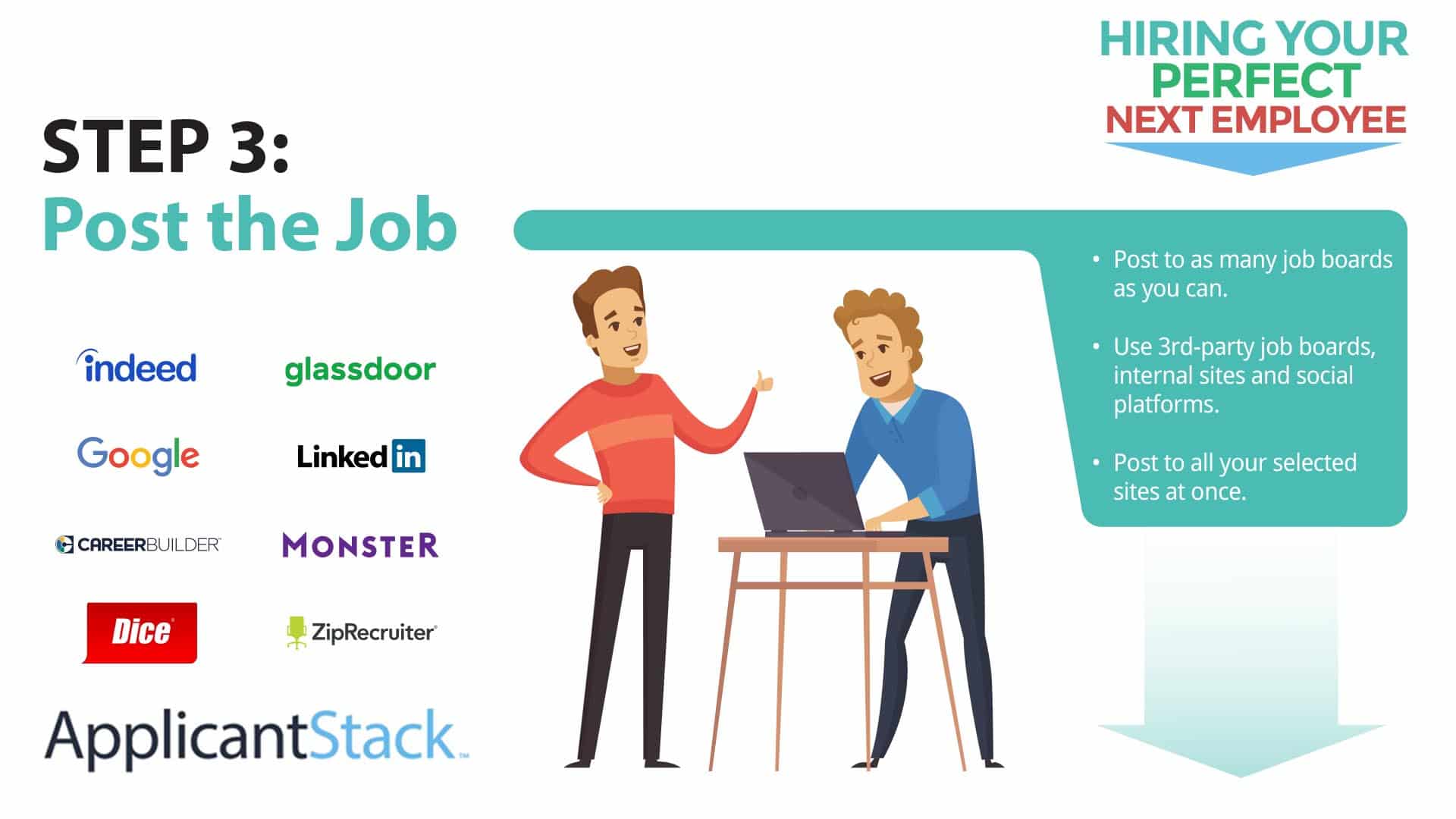
There are more than 25,000 web sites that list job openings. Indeed, Monster and ZipRecruiter are some well-known ones. Other niche sites may be favorites within your industry or for the position you seek to fill.
How do job boards help employers find applicants?
As mentioned, some job boards have a unique focus like diversity candidates, tech jobs ( Dice.com), or remote jobs ( Flex Jobs). By targeting boards that best match your ideal candidate, you can increase your reach. You can also actively recruit from many job boards, to identify the individuals you want to apply for your open position or internship.
How do I post a job to a job board?
Each job board has a process to upload job listings. Typically, you use a form to enter the various components of the posting–skills, work experience, etc. Most boards have a free and paid option. If you opt for the paid option, they give your posting more visibility. This includes moving it up in search results and presenting it to applicants searching for the position. Of course, if you don’t have the budget, you’ll have to go with free posting sites.
Like anything manual, this takes a lot of time when you post to several sites, which you will likely want to do. Applicant tracking systems (ATS) make it easy for you to post to many job boards at the same time.
Which job board is best for your organization and open position?
With thousands of job boards available, it may seem overwhelming to identify the one that is best for your company and budget. The good news is that you don’t need to pick one. Instead, figure out which ones focus on your industry, the skills required for each job posting, geography and more.
Where to Post Jobs
Money.com recognized the following sites as top job boards for employers:
- ZipRecruiter: Best for Large Scale Recruiting
- Indeed: Best for Free Job Posts
- LinkedIn: Best for Executive and Upper Management Positions
- Handshake Job Search Site: Best for College Recruiting
- Dribble: Best for Scouting Designers and Creatives
The Balance Careers rates the following as the top ten job search websites from a candidate’s perspective:
- Best Overall: Monster
- Best for Employer Research: Glassdoor
- Best for Remote Jobs: FlexJobs
- Best for Experienced Managers: Ladders
- Best for Startup Jobs: AngelList
- Best for Connecting Directly with Recruiters: LinkedIn
- Best for Up-to-Date Listings: Getwork
- Best for Hourly Workers: Snagajob
(Source: The Best Job Search Websites, The Balance Careers)
Better yet, use a job marketplace like JobTarget, which aggregates your data across all of your job ads and all of your publishers. JobTarget’s analytics show which job sites attract the most qualified candidates so you can manage your spend. You’ll be able to compare data across all of your activities. And ultimately, you’ll be able to make more informed decisions about how to recruit.
How to Post a Job on Indeed
- 1.Go to indeed.com/hire and follow the steps to create an account or sign in with your Google, Apple, or
Facebook account 2. Click the Post a Job button 3. Once you’ve posted your first job, you can also find the Post a Job button in your Employer Dashboard 4. Enter the job details as prompted 5. Add your job description 6. At the Applicant Qualifications page, enter screener questions that will immediately qualify or disqualify an applicant
- 1.Types of screener questions include Yes or No, Short Answer, Multiple Choice, Date or Number, or Request for File Upload
- 2.Designate any Applicant Qualifications a deal breaker and give Indeed permission to file under Rejected in your Employer Dashboard
- 3.When you start receiving applications, you can sort them based on their answers to the Applicant Qualifications questions in your Employer Dashboard at the Candidates tab
(Source: Indeed.com)
How to Post a Job on LinkedIn
- 1.Click the Jobs icon at the top of your LinkedIn home page
- 2.Click the Post a Job button
- 3.On the Job Details page, enter the job description and skills
- 4.Click Continue
- 5.On the Applicant Options page, set preference for how you would like to receive applications
- 6. Add screening questions (LinkedIn recommends at least three)
- 7.Click Post Job for Free
(Source: LinkedIn.com)
How to Make Your Job Posting Stand Out
Company Careers Page
Of course, you’ll want to post every job to your careers page. Make your page enticing with photos and videos that showcase your culture. Bonus points if your employees make their own video. Consider a contest with prizes for the best videos.
Social Media
Post to every platform, even if you don’t use them for business. Instagram, for example, may not be the best site for ad-like posts, but perfect for a job opening. (Especially if you include some eye-catching photos!) You can also coordinate each job posting with a social post and link them to the application.
Internal Job Posting
Let your team know when you have openings. Use your HRIS, Internal comms tools like Slack or email. Referral rewards work great for some companies. Since referral hires are often more successful than non-referrals, it’s definitely worth spending a few hundred dollars on some enticing rewards.
Add Photos and Videos
As mentioned previously, photos and videos can help you stand out. Most job postings on LinkedIn and Indeed don’t have photos and videos, so get ahead of your competition.
Remote?
If the job is 100% remote, put that in the job title. Many job seekers are looking exclusively for remote positions. An added bonus is that you can recruit from anywhere.
How to Promote Your Job Posting
Educational Partnerships
Partner with universities, colleges and technical schools in your community. Of course, if the job is remote, you aren’t limited to your geographical area.
Also consider the long game. Many institutions have formal business partnership programs. If your open positions are technical and there are skills programs in your area, volunteer to be on the curriculum advisory committee. This will solidify your relationship with the school and help you shape programs that could supply skilled talent for years to come.
Job Fairs
While we’re on the subject of educational institutions, participate in school-sponsored job fairs. In addition to promoting specific jobs, you’ll start building your employer brand among recent graduates and other job seekers attending the job fair.
Local Sponsorships
Get creative with local events. Depending on the demographic of your talent pool, sponsor a local event. For example, a volunteer day, race, theatrical production, or summer festival. You could even hand out branded swag or print your job postings on beverage cups.
Poach from Your Competitors
This technique if not for the faint of heart but some brave recruiters have had success with it. Transform an RV to a recruiting office and park it on a public street near a competing employer during lunch hour. If you have the budget, give free lunches to anyone who applies.
Local Radio Ads
Local radio stations might have affordable ad slots. Choose the station based on your new hire persona and produce a simple but informative ad about your open position(s).
Is there an easier way to post to multiple job boards?
Yes. Use an applicant tracking system (ATS) to connect to many job boards at once, including aggregators like JobTarget. You can discover niche and specialty websites that give you the best reach for each job opening.

Content Marketing Manager at Swipeclock
Content strategist and corporate blogger (2000+ posts). Her work has been featured on G2's Learning Hub, Human Resources Today, CloserIQ, Better Buys and over 500 business websites. She plays bluegrass mandolin and enjoys hiking in the red rock wilderness of southern Utah. Connect with me on LinkedIn
Latest posts by Liz Strikwerda ( see all)
- ApplicantStack Featured in Case Study of Home Health Agency & Hospice - November 17, 2022
- Ask Me Anything Recap: How To Configure Job, Candidate and Application Fields - November 17, 2022
- 3 Ways Hiring Software Saves Money for Your Small Business - September 29, 2022

Allie Blackham|Aug 5, 2026
Building an effective hiring process from scratch involves identifying your company’s needs and setting a path to find quality applicants. By examining past hiring practices and implementing new strategies, you can build a more efficient process. Read on for some ways to create a hiring process that gets results. Primary Elements of the Hiring Process […]

Allie Blackham|Jul 29, 2026
The need for high-volume, non-exempt roles in the retail, food service, and healthcare support sectors often outpaces companies’ abilities to hire quickly. In these busy industries, shifts can run 24 hours, and turnover is frequent, creating a challenge for hiring managers. If degree or experience requirements are creating a barrier to finding quality candidates, consider […]

Allie Blackham|Sep 30, 2026
Background checks help small businesses avoid costly hiring mistakes, from resume fraud to license misrepresentation. They help small businesses reduce hiring risk, but running them legally means following FCRA disclosure rules, EEOC anti-discrimination protections, and your state’s fair-chance hiring laws. What Are Background Checks? Employment background checks typically use a third-party professional screening service to verify […]

Verified First|Sep 23, 2026
Guest Post by Verified First Do you screen every candidate the same way? That approach is costing you more than you think. A templated process feels efficient, but it wastes budget on low-risk roles. Worse, it under-protects your safety-sensitive ones. Most organizations don’t catch this until a compliance issue or a safety incident hits. As […]

Allie Blackham|Sep 16, 2026
Shortening time-to-hire reduces the burden on hiring staff and helps you reach top talent faster. Small businesses can use any help they can get to make the hiring process more efficient. An applicant tracking system shortens time-to-hire by automating screening, scheduling, and offer letters, cutting out the manual steps that create the biggest bottlenecks for […]

Allie Blackham|Sep 9, 2026
Q4 tends to hit hiring teams like a freight train. Retail ramps up for the holidays, e-commerce warehouses struggle to keep pace with order volume, and hospitality prepares for back-to-back events. If your applicant pipeline isn’t ready for that surge, you may end up losing out on great candidates and revenue. Here are six steps […]

Allie Blackham|Sep 2, 2026
If your open roles are pulling in three or four times the applications they did two years ago, you’re not imagining it. AI writing tools have made it easier than ever for job seekers to customize a resume and cover letter for every posting in seconds. “Apply to everything” browser extensions allow candidates to blast […]

Allie Blackham|Aug 26, 2026
The hiring process takes time and money, both of which can be tight in small business budgets. When a candidate ghosts you at any stage, it can be demoralizing and expensive. Here are some ways to keep communication flowing to avoid being abandoned by quality prospects. What Is Candidate Ghosting? Ghosting refers to a scenario […]

Allie Blackham|Aug 19, 2026
Hiring new employees is no small task: it takes hours of company time and money to recruit, interview, and select top talent. Once you’ve got a new employee on board, you want to turn that hiring investment into a good experience for both of you. That’s where onboarding comes in. Read on for some effective […]
Allie Blackham|Aug 11, 2026
When someone walks out your office door for the last time, they’re taking valuable insights with them. The question is: will you capture those insights before they’re gone forever? An exit interview represents one of the most underutilized opportunities in business. Done right, it can reveal blind spots in your management, uncover systemic issues, and […]
Allie Blackham|Aug 5, 2026
Building an effective hiring process from scratch involves identifying your company’s needs and setting a path to find quality applicants. By examining past hiring practices and implementing new strategies, you can build a more efficient process. Read on for some ways to create a hiring process that gets results. Primary Elements of the Hiring Process […]
Allie Blackham|Jul 29, 2026
The need for high-volume, non-exempt roles in the retail, food service, and healthcare support sectors often outpaces companies’ abilities to hire quickly. In these busy industries, shifts can run 24 hours, and turnover is frequent, creating a challenge for hiring managers. If degree or experience requirements are creating a barrier to finding quality candidates, consider […]
Allie Blackham|Sep 30, 2026
Background checks help small businesses avoid costly hiring mistakes, from resume fraud to license misrepresentation. They help small businesses reduce hiring risk, but running them legally means following FCRA disclosure rules, EEOC anti-discrimination protections, and your state’s fair-chance hiring laws. What Are Background Checks? Employment background checks typically use a third-party professional screening service to verify […]
Verified First|Sep 23, 2026
Guest Post by Verified First Do you screen every candidate the same way? That approach is costing you more than you think. A templated process feels efficient, but it wastes budget on low-risk roles. Worse, it under-protects your safety-sensitive ones. Most organizations don’t catch this until a compliance issue or a safety incident hits. As […]
Make Recruiting and Onboarding Easy
See for yourself! Fill out the form to start a trial today and see how ApplicantStack can improve your hiring and onboarding processes.
This field is for validation purposes and should be left unchanged.
-
First Name*
-
Last Name*
-
Company Name*
-
Phone Number**
-
Business Email*
Watch for your free trial log-in information coming to your inbox!
*You agree to receive SMS messages about your Free Trial.
-
Watch for your free trial log-in information coming to your inbox!
-
*
-
I understand this not a job application and I am based in the US or Canada.
Entiendo que esto no es una solicitud de empleo y que resido en Estados Unidos o Canadá.
-
Start your free trial
Δ
We use cookies to ensure that we give you the best experience on our website. If you continue to use this site we will assume that you are happy with it.OK
Notifications